
If you’re deciding between a Headless CMS and a traditional CMS like WordPress, the right choice depends on your business goals rather than current trends. A traditional CMS is usually the better option for most businesses because it’s easier to manage, faster to launch, and includes built-in publishing tools. A Headless CMS becomes a strong choice when you need to deliver the same content across multiple platforms, require highly customized front-end experiences, or expect your product to scale significantly.
Choosing the wrong architecture can increase development costs, slow future updates, and create unnecessary maintenance. Choosing the right one creates a flexible foundation that supports better performance, easier content management, and long-term growth. Understanding the strengths and trade-offs of each approach is far more valuable than simply following industry hype.
Hook: The Most Expensive Mistake Happens Before the First Line of Code
A startup approached our team after spending months building a new website.
The design looked polished.
The animations were smooth.
Performance scores were impressive.
Yet six months later, the marketing team had one complaint.
Updating content required developers.
Simple landing page edits took days.
Publishing blogs became frustrating.
The technology wasn’t bad.
It simply wasn’t the right fit.
Architecture decisions made during planning often determine whether a website becomes easier or harder to manage over time.
Setup: Understanding What a CMS Actually Does
A Content Management System (CMS) allows teams to create, edit, organize, and publish digital content without rebuilding an entire website.
Instead of editing HTML files manually, marketers, writers, and business owners can update pages through an intuitive dashboard.
A CMS generally handles:
- Content publishing
- Media management
- User permissions
- SEO settings
- Templates
- Navigation
- Workflow
The difference lies in how that content reaches users.
What Is a Traditional CMS?
A traditional CMS manages both the content and the presentation layer.
Everything exists within one platform.
Popular examples include:
- WordPress
- Drupal
- Joomla
The CMS stores content and also renders the webpage visitors see.
This integrated approach makes publishing straightforward.
What Is a Headless CMS?
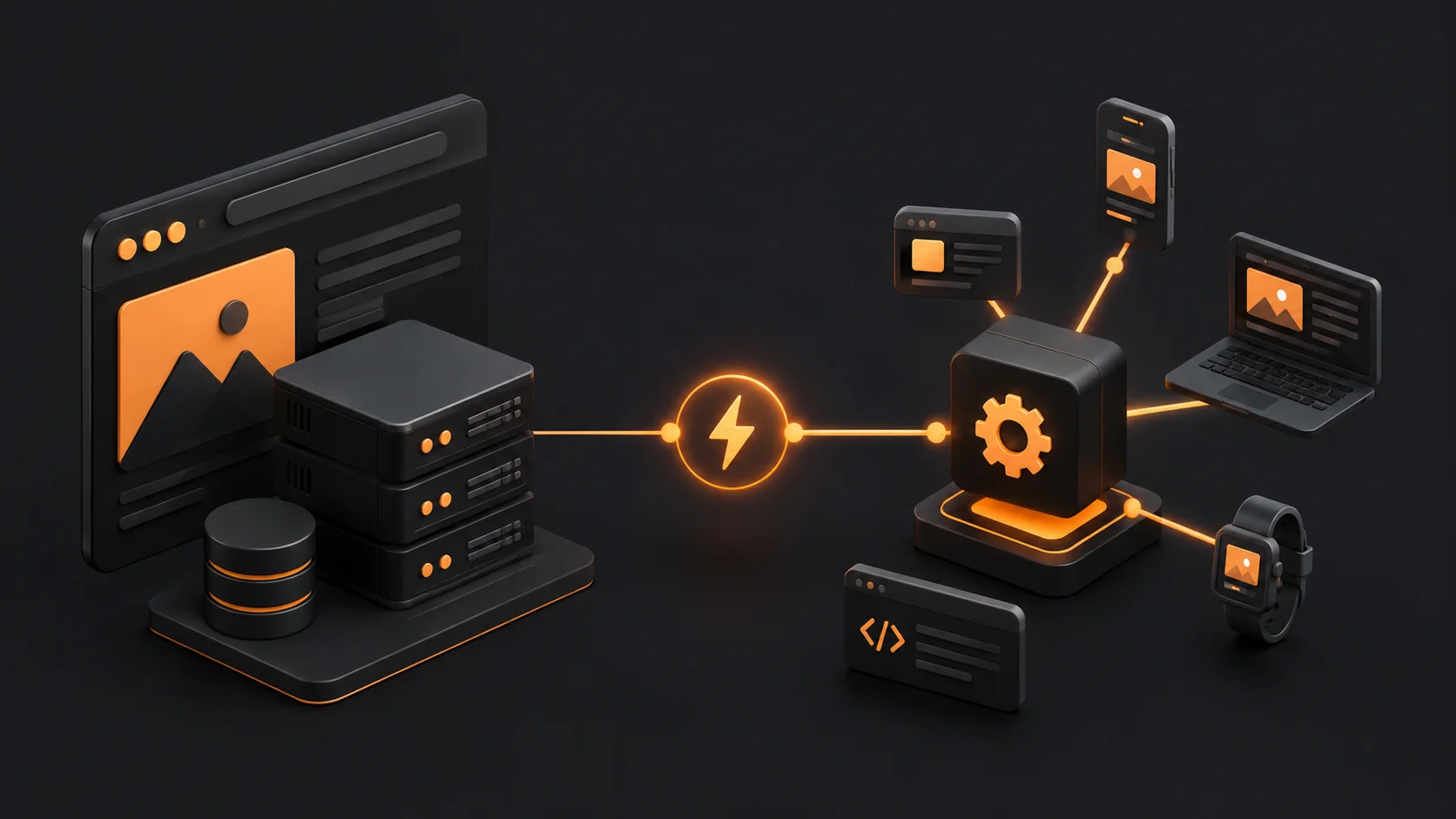
A Headless CMS separates content management from the website’s presentation.
The CMS stores content.
Applications retrieve that content through APIs.
Developers then decide how and where to display it.
The same article can appear on:
- Websites
- Mobile apps
- Smart TVs
- Digital kiosks
- Internal dashboards
- Voice assistants
One source powers multiple experiences.
Turning Point: Stop Choosing Technology Based on Trends
Many businesses assume newer technology automatically creates better websites.
That’s rarely true.
The better question is:
“What problem are we solving?”
If your company publishes blogs, landing pages, and marketing content, a traditional CMS often provides everything you need.
If you’re building multiple digital products that share content, Headless architecture becomes much more compelling.
Technology should follow business requirements.
Comparing Content Management
Traditional CMS:
- Visual editing
- Drag-and-drop builders
- Plugin ecosystem
- Built-in themes
- Quick publishing
Headless CMS:
- Structured content
- API delivery
- Developer flexibility
- Multi-platform publishing
- Greater customization
Neither is universally better.
Each serves different priorities.
Performance Differences
Performance depends on implementation rather than architecture alone.
A poorly optimized Headless website can be slower than a well-optimized WordPress site.
Likewise, an overloaded traditional CMS with dozens of plugins can become inefficient.
Performance depends on:
- Code quality
- Image optimization
- Hosting
- Caching
- JavaScript
- Database efficiency
Architecture influences performance but doesn’t guarantee it.
SEO Considerations
Traditional CMS platforms usually include:
- Meta titles
- Meta descriptions
- XML sitemaps
- Canonical tags
- Robots management
- Internal linking tools
Headless websites require developers to implement these features manually.
That provides flexibility but also increases responsibility.
SEO should be planned from the beginning rather than added later.
Development Workflow
Traditional CMS workflow:
Content
↓
Theme
↓
Plugin
↓
Publish
Headless workflow:
Content
↓
API
↓
Front-end framework
↓
Deployment
↓
Website
The second workflow introduces more moving parts but also greater flexibility.
Content Editing Experience
Marketing teams often prefer traditional CMS platforms because they can:
- Publish immediately
- Preview content
- Install plugins
- Create pages
- Update menus
Headless platforms usually involve stronger collaboration between developers and content teams.
Security
Both architectures can be secure.
Traditional CMS platforms require:
- Plugin updates
- Theme maintenance
- Regular backups
- Security monitoring
Headless architecture reduces some attack surfaces by separating systems, but API security and infrastructure remain essential.
Security is a process, not a product.
Scalability
Headless architecture excels when organizations publish content across multiple channels.
Imagine a university.
One article may appear on:
- Website
- Student app
- Faculty portal
- Digital signage
- Newsletter
Managing all those platforms from one content repository simplifies operations.
When Traditional CMS Is the Better Choice
Choose a traditional CMS if you need:
- Business website
- Blog
- Portfolio
- Local business website
- Marketing site
- Small eCommerce store
- Landing pages
- Fast deployment
The lower complexity often outweighs architectural flexibility.
When Headless CMS Makes Sense
Consider Headless if you’re building:
- SaaS platforms
- Enterprise applications
- Multi-platform ecosystems
- Mobile-first products
- High-scale publishing systems
- Custom applications
- API-driven experiences
Here, flexibility becomes more valuable.
Developer Experience
Headless development allows teams to use modern frameworks and independent deployment pipelines.
Advantages include:
- Greater design freedom
- Component reuse
- API-first workflows
- Independent scaling
- Cleaner separation of concerns
However, it also requires stronger engineering expertise.
UX Implications
Users don’t care which CMS powers a website.
They care about:
- Speed
- Navigation
- Accessibility
- Readability
- Reliability
Architecture supports these goals.
It doesn’t replace them.
Common Mistakes
Mistake 1: Following Trends
Choose technology because it solves problems, not because it’s fashionable.
Mistake 2: Ignoring the Marketing Team
If marketers cannot update content efficiently, productivity declines.
Mistake 3: Underestimating Maintenance
Every architecture requires ongoing maintenance.
Plan resources accordingly.
Mistake 4: Forgetting SEO During Development
Metadata, structured data, redirects, and internal linking should be considered before launch.
Mistake 5: Optimizing for Today’s Needs Only
Think about where the business will be in three years.
Architecture should support future growth.
Myth-Busting
Myth: Headless CMS Is Always Faster
Reality:
Optimization determines speed more than architecture alone.
Myth: WordPress Cannot Scale
Reality:
Properly configured WordPress websites power large publishers and enterprise organizations.
Scalability depends on implementation.
Myth: Headless Eliminates SEO Challenges
Reality:
SEO fundamentals still require thoughtful implementation.
Architecture doesn’t replace best practices.
Myth: Traditional CMS Is Outdated
Reality:
Modern traditional CMS platforms continue evolving and remain excellent solutions for many businesses.
Myth: Developers Should Choose the Technology Alone
Reality:
Architecture decisions should include developers, designers, marketers, SEO specialists, and business stakeholders.
The best solution balances technical capability with operational efficiency.
Decision Framework
Ask these questions before choosing:
- Who will update content?
- How often will content change?
- Will multiple platforms use the same content?
- Does the team have API expertise?
- What are the long-term maintenance costs?
- How important is publishing speed?
- How much customization is truly required?
The answers usually make the decision clear.
Building Authority Through Architecture Expertise
If your goal is to establish Ayushman Jena as a trusted authority in web development, create educational resources that explain architectural decisions from both technical and business perspectives.
Strong supporting topics include:
- Headless WordPress
- API-first development
- Jamstack performance
- Content modeling
- Technical SEO architecture
- CMS migration strategies
- Website scalability
- Front-end frameworks
- Design systems
- Enterprise content workflows
These subjects demonstrate strategic thinking rather than simply coding ability.
Resolution: Build for the Business, Not the Buzzwords
The best architecture is the one that helps your business move faster, serve users better, and remain maintainable as it grows.
For many organizations, a traditional CMS provides the perfect balance of simplicity, flexibility, and publishing efficiency.
For businesses managing multiple digital experiences, a Headless CMS offers unmatched scalability and control.
Neither approach is universally superior.
Success comes from aligning technology with real business needs instead of chasing trends.